

Smart Forms In Appointment Reminders
If a patient still has a SmartForms V2 form outstanding when their appointment reminder goes out, the reminder names the form and gives the patient the link again.
There is nothing to configure. Any event type that has SmartForms V2 attached and reminders turned on does this already.
What the patient gets
When a reminder is due, OutSmart checks which of the event type’s forms that patient hasn’t finished.
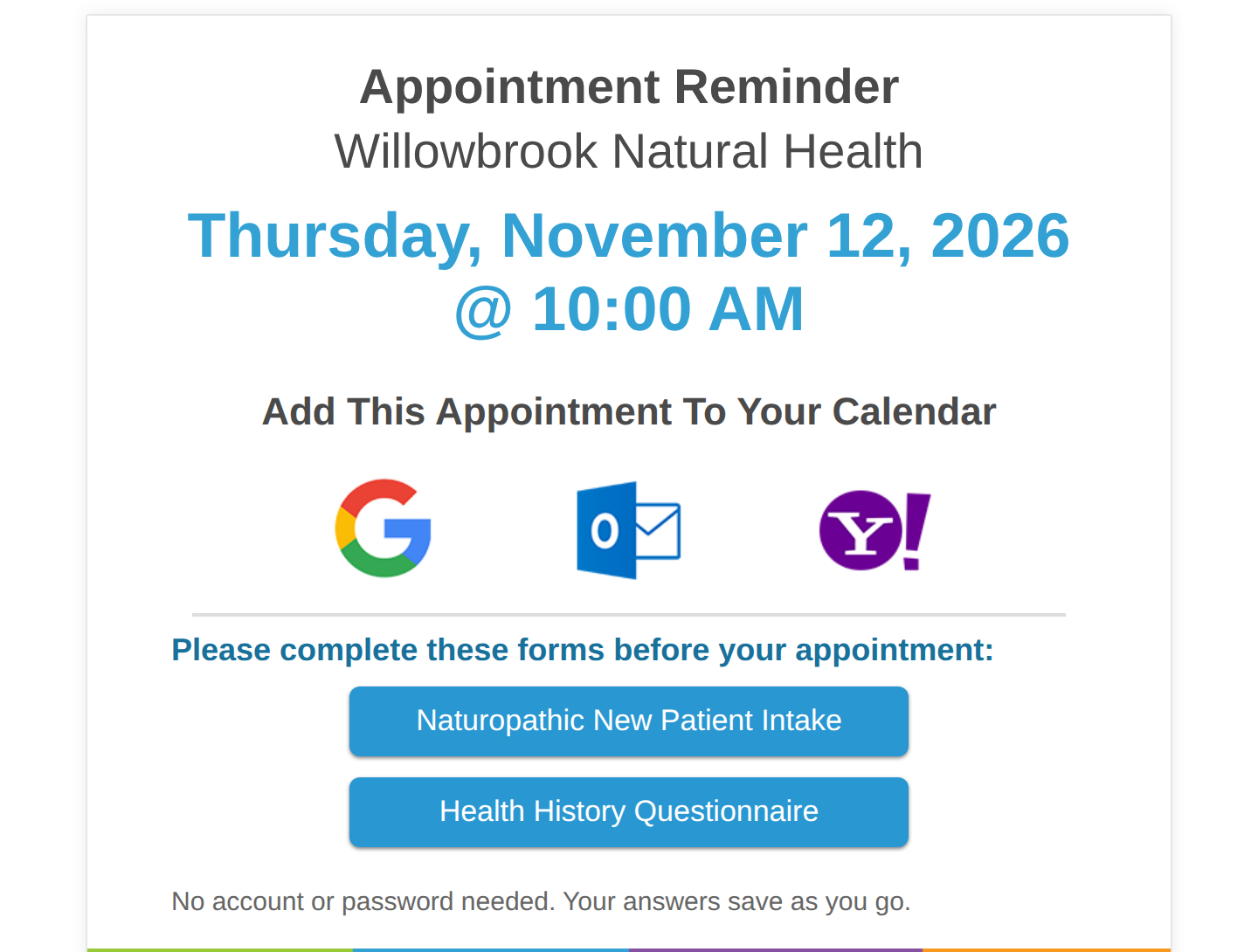
An appointment reminder with two forms still to finish. Each blue button opens one form.
- If forms are outstanding, the reminder lists them by name with a link to each one, alongside the usual appointment details.
- If everything is done, the reminder says nothing about forms at all. It’s an ordinary appointment reminder.
A patient who has already submitted every form is not reminded about them.
Which forms count as outstanding
A form is outstanding when the patient still has a live copy they haven’t submitted. A form drops off the reminder as soon as any of these is true:
- The patient submitted it.
- The form’s deadline passed. A form in its grace period after the deadline is no longer listed.
- You revoked it.
The links in the reminder are the patient’s existing links, so anything they had already typed and saved is still there when they open one.
This applies to both kinds of reminder
The forms block appears in reminders sent automatically on the schedule you set for the event type, and in reminders you send by hand from the calendar. Both kinds list the same forms.
When a reminder mentions no forms
If you expected a reminder to chase a form and it didn’t, work through these:
- The patient already finished it. Check their Smart Forms tab. This is the usual answer.
- No reminder went out at all. Reminders have their own conditions, separate from forms. The appointment must be in a status that allows reminders, and the event type needs a reminder rule. See When Notifications Are Sent (and When They Aren’t).
- The forms were never sent. If the booking was saved without sending a confirmation, the patient has no forms to be outstanding. See Adding SmartForms V2 To An Event Type.
- The form is attached but was archived or unshared before it was sent. It can’t be sent, so the patient has no copy to report. A copy the patient received before the form was archived is still listed while it is outstanding.
Related Pages
- Adding SmartForms V2 To An Event Type. Attaching the forms that reminders then chase.
- When Notifications Are Sent (and When They Aren’t). The conditions that decide whether a reminder goes out at all.
- Appointment Reminders. Setting up reminder rules and timing on an event type.
- What Your Patient Sees When They Book Online. The patient’s side, from booking through to submitting.
- Expiries And Link Timing. When a patient’s link runs out, and how to give them more time.